 ArrowWord Games
ArrowWord Games
ArrowWord Games
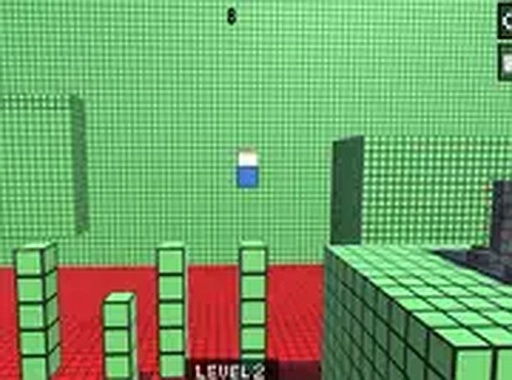
Obstacle Course Runner: Skill Stages delivers a straightforward precision platforming challenge. Its strength lies in clear feedback and a difficulty curve that eases players in before demanding tighter timing and faster decisions. Achievements and a leaderboard add replay value. The game is desktop-only and runs in a browser, which keeps it accessible but limits play to keyboard users. Best for players who enjoy skill-based progression without complex systems.
You control a small character navigating a series of obstacle courses. Each stage introduces a fresh arrangement of barriers, platforms, and hazards that must be cleared using careful timing. Progress depends on skill, not random chance—success comes from learning patterns and sharpening reaction speed. There are no complex combos or menus to distract from the action. [IMG_1]
Stages are built to grow more complex as you advance. Early levels feature basic obstacles like gaps and moving blocks, giving you room to get comfortable with the controls. Later stages combine multiple obstacle types in tighter sequences, forcing faster decisions and more precise movements. This steady ramp-up builds confidence while still offering a challenge for experienced platformer fans. [IMG_2]
The graphics are clean and uncluttered, keeping attention on the gameplay. Characters and obstacles stand out clearly against the background, so you can read each situation quickly. Visual and audio cues provide immediate feedback on success or failure, helping you understand what went wrong and how to adjust. This clarity is essential for a game centered on timing and reflexes. [IMG_3]
Completing stages can unlock achievements for meeting specific goals, such as finishing a level without stopping or collecting hidden items. These achievements encourage revisiting earlier stages and trying different approaches. A leaderboard tracks completion times, letting you compare your performance with others. This adds replayability beyond simply finishing each course. [IMG_4]
The game runs directly in a web browser with no installation required. It is designed for desktop computers, where keyboard controls offer the most responsive experience. Full screen mode is available for a more immersive view. Because the game is free and requires no account creation, you can start a session in seconds and stop at any time without losing progress.
Sign in to comment
You must be logged in before posting a review or rating.
No comments yet. Be the first to comment!


Editorial Notes