Drawing as the Only Control
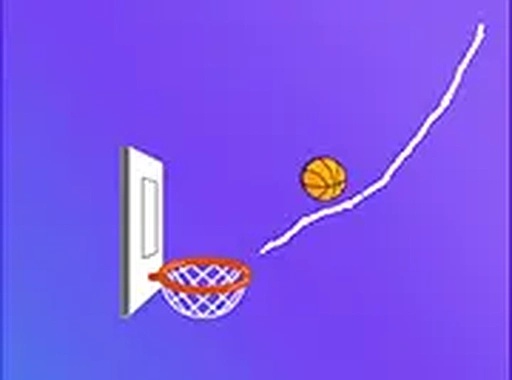
In Hoop Path Creator Puzzle, you never steer the ball directly. Instead, you sketch lines onto the playing field, and those lines harden into surfaces the ball can bounce off or roll along. The ball then moves according to realistic physics, so every slope, angle, and curve you draw changes its path. Predicting how the ball will react after each contact is the central task, and that turns each stage into a compact engineering problem. [IMG_1]
How Stages Escalate
Levels are built around distinct arrangements of obstacles and hoop positions. Early stages teach the basics with straight ramps and simple angles. Later ones introduce multiple barriers, moving elements, and tighter spaces that leave less room for error. The difficulty rises gradually, so problem-solving habits carry over from one stage to the next. Because layouts vary, puzzles rarely feel like repeats of each other. [IMG_2]
Reading the Court and Reacting
Bright, colorful graphics keep the field readable, and the interface stays minimal, with clear markers for the ball and hoop. On a computer you click and drag to draw; on a touchscreen you tap and drag with a finger. The game runs in a web browser, so there is nothing to download or install, and a full-screen mode is available when you want fewer distractions. [IMG_3]
Experimentation Over Reflexes
Although each stage has an intended solution, the game tolerates other approaches. You can place lines differently, watch the result, and adjust after each attempt. That trial-and-error loop rewards patience and creative thinking rather than fast reactions, and there may be more than one way to guide the ball into the basket. The payoff comes from seeing a carefully planned path work.
✅ Compatibility & Testing
• Desktop (Windows 11, macOS Ventura)
• Mobile (iPhone 14, Samsung Galaxy S23)
• Tablet (iPad Pro, Android tablet)
✅Supported browsers: Chrome, Safari, Edge, Firefox (latest versions)
❌ Not supported: Internet Explorer, older browser versions
 ArrowWord Games







Editorial Notes