 ArrowWord Games
ArrowWord Games
ArrowWord Games
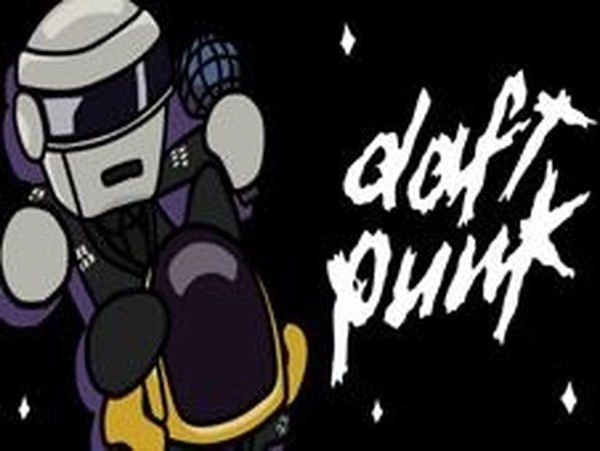
Daft Punk Music Rhythm Challenge does one thing and does it clearly: arrow prompts, beat-matched key presses, and a progress bar that punishes missed streaks. The Daft Punk theme gives the community-built open-source engine a distinct soundtrack and visual identity. Multiple songs and difficulty levels support gradual improvement, and the family-safe content keeps the audience broad. The main limitation visible in the description is scope: this is a rhythm challenge, not a deep progression game, so players wanting unlocks or story should look elsewhere.
Daft Punk Music Rhythm Challenge is a keyboard rhythm arcade game built on a popular open-source rhythm engine and shaped by a community of developers and artists. A symbol appears above your character, and you press the matching arrow key as the note lines up with its target. Each clean hit adds to your score and keeps the progress bar tilted your way. The failure condition is a streak, not a single slip: miss too many notes in a row and the bar swings against you until the round ends.
The game ships with multiple songs and multiple difficulty levels, so the same track can be approached at different speeds and note densities. Beginning with easier songs lets you learn the arrow patterns before harder charts arrive. Because the music drives the timing, learning a song is really about learning its rhythm as much as its sequence. Accuracy and consistency are rewarded, and each successful round moves you closer to beating the Daft Punk characters.
Only the arrow keys are needed. Watch the symbol above your character, wait for the beat, and press the corresponding key. The controls are simple to learn, but the timing window is where the challenge lives. Staying relaxed and following the beat tends to work better than reacting to every note in isolation. The game is designed to be accessible across ages and skill levels, and it contains no violent or inappropriate content.
The Daft Punk theme gives the rhythm format a specific identity: catchy songs and a matching visual style, presented as a musical showdown against the duo. For fans of the group, that framing adds a layer of interest beyond the note charts. The community-created mod status also explains the polished-but-focused scope: a clean rhythm experience rather than a sprawling one.
Sign in to comment
You must be logged in before posting a review or rating.
No comments yet. Be the first to comment!







Editorial Notes